As you are navigating this section it is understood that you have following items available with you.
- A Freshworks product account
- Node version v18.13.0 or higher installed locally
- Freshworks CLI with version 9.0.0 or higher installed locally
While following these steps ensure that
- The directory must be empty.
- The directory name will be inferred as app name
Create an app
Front-end app
Serverless app
From the command-line, navigate to the empty directory in which you want to create an app.
Run the fdk create command. A prompt to choose a template is displayed.
Select common-starter-template. A new app with the following directories/files is created based on the template.
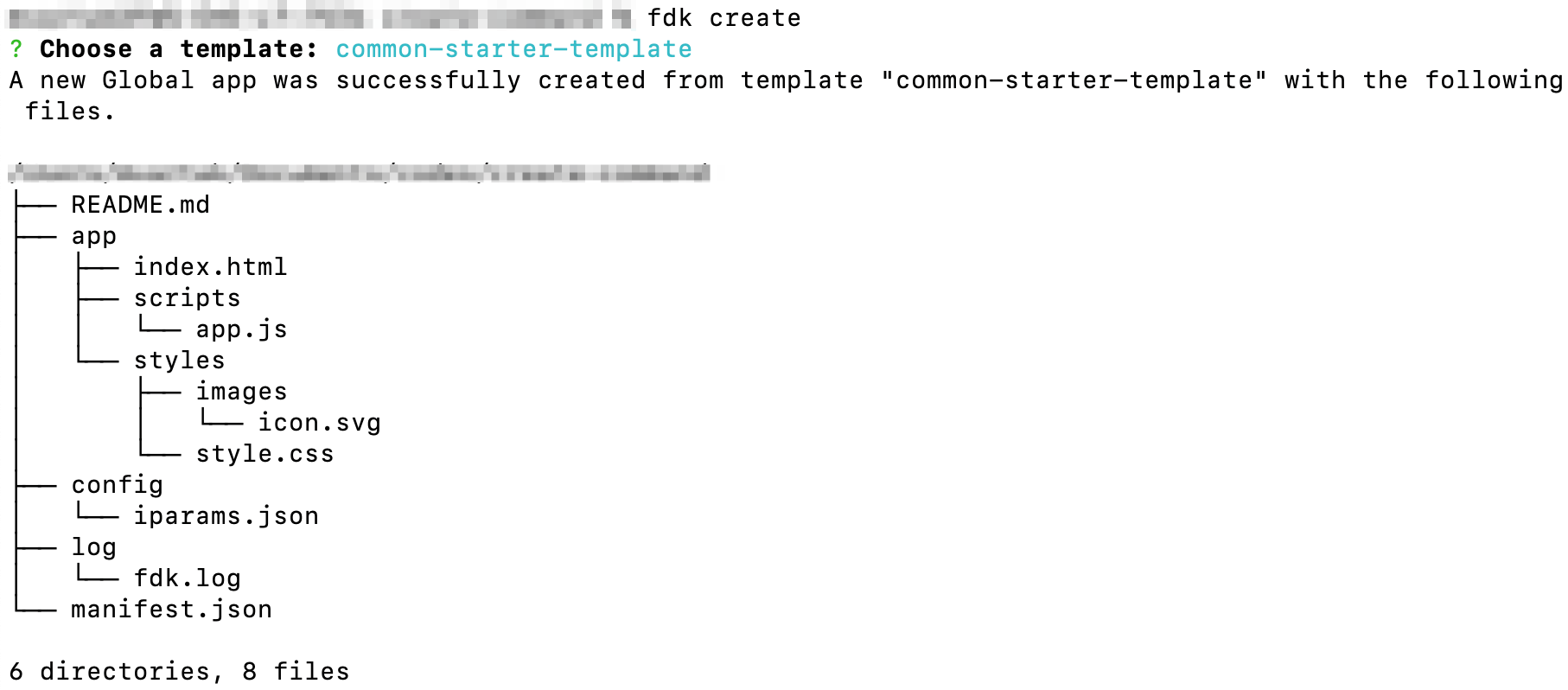 Directories and files that the create command generates for common-starter-template
Directory/File Description Important:When building an app, do not modify the default folder/file names. app/ Contains all the files required for a front-end app or the front-end component of an app. app/index.html Contains files to render the front-end components of an app. This is the first page that is loaded when the app is activated. When building an app, if the app uses Data method, Request method, Installation settings, or Data store, update the index.html file with the following client JS resource: <script async src="{{{appclient}}}"></script>app/scripts
(All js files are ES6 compatible)Contains all the javascript files required to support the front-end functionality of an app. app/scripts/app.js Placeholder file for your app logic (app code). app/styles Contains the styles required for the front-end components of an app. app/styles/styles.css Contains CSS rules that are incorporated to HTML files, when referenced. app/styles/images Contains images that can be used in the app. app/styles/images/icon.svg Contains the app icon. If you intend to extend the app, you can replace the icon.svg file. The icon file should be of SVG type with a resolution of 64 x 64 pixels. config/ Contains the installation parameters and OAuth configuration files. config/iparams.json Specifies all the installation parameters whose values are set when the app is installed. For more information, see App settings. log/ Contains the files in which the app debugging information is captured. log/fdk.log Contains all debugging information, warnings, and errors generated when an app is created, run, packed or validated. manifest.json Contains details such as the platform version the app uses, module on which the app is deployed, placeholders for the front-end app rendering, request templates that the app code uses, and FDK version used to build, test, validate, and pack the app. README.md Contains additional instructions, information, and specifications. Note:To ensure quick app reviews, if you use React or any other front-end framework, include the source files of your app in the src directory (which is auto-created when you use fdk create and select react-starter-template to create your app files).