Freddy AI Copilot for Developers
Build Reliable Apps
Faster with Ease
Accelerate app development on the Freshworks platform through AI-assisted code generation, design translation, migration, and productivity tools.


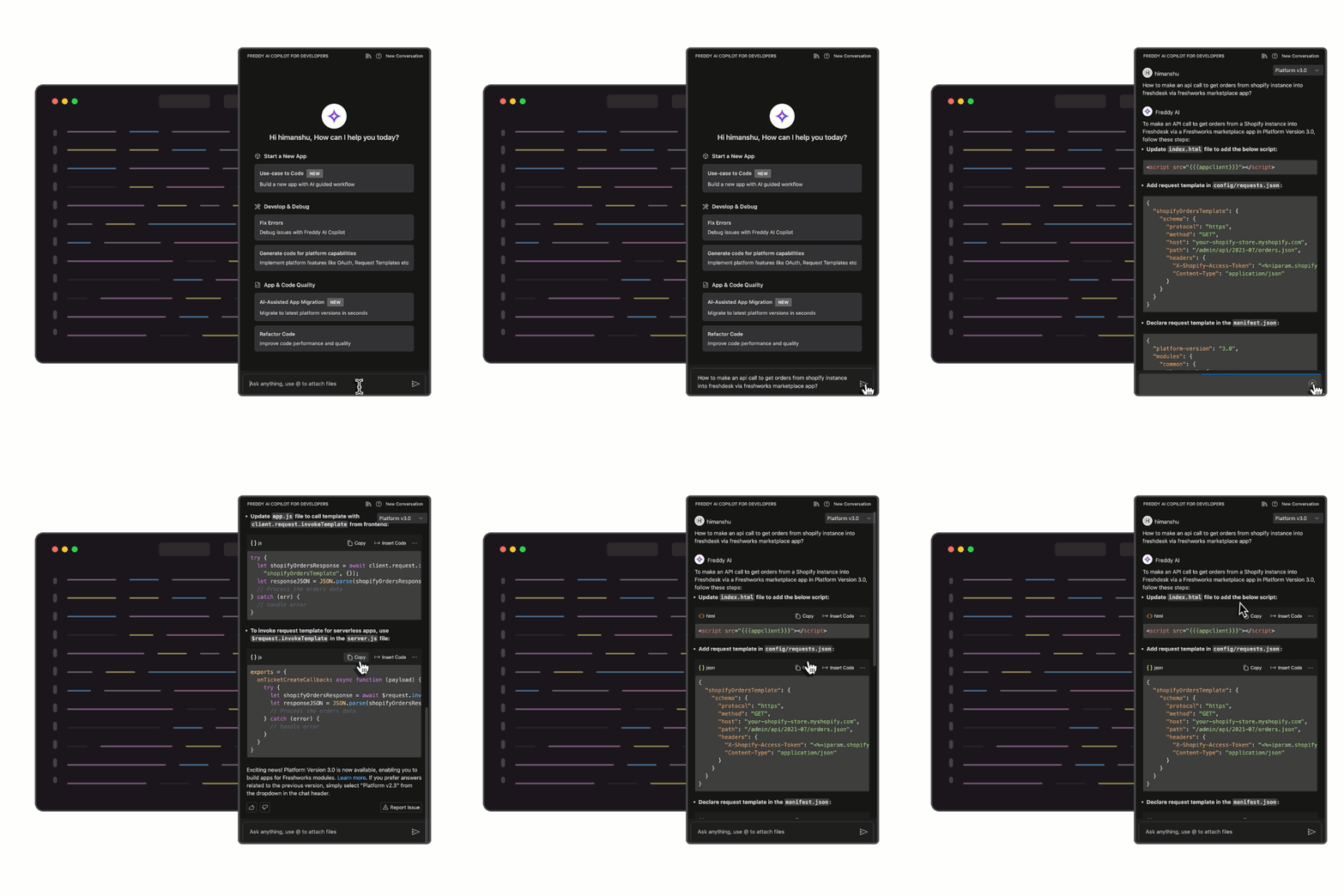
Interact with Freddy in plain language to generate, explain, or debug code. Use Ask mode for explanations and code snippets, or Agent mode to let Freddy apply changes directly to your project files. Freddy understands context from your workspace to complete tasks faster.
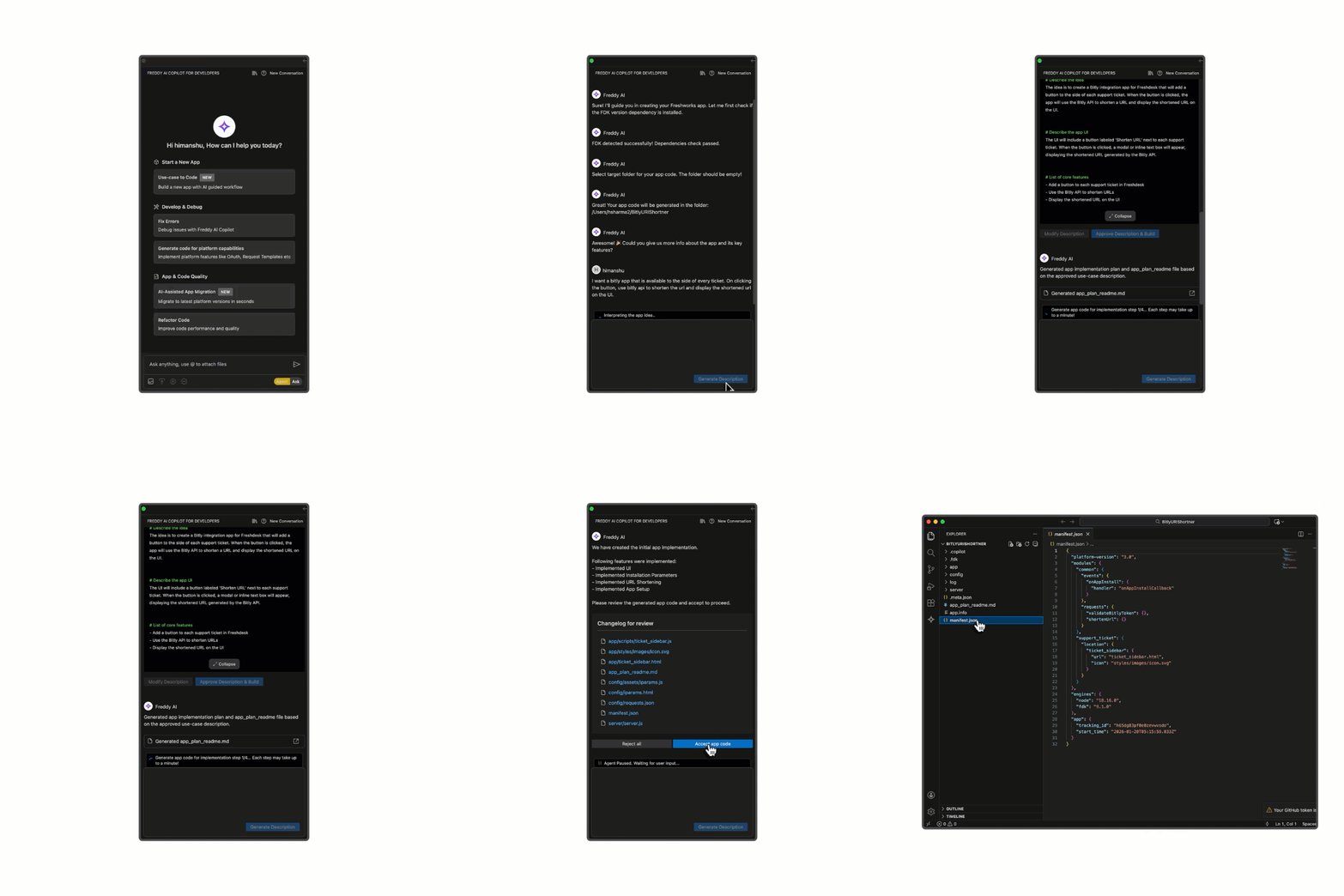
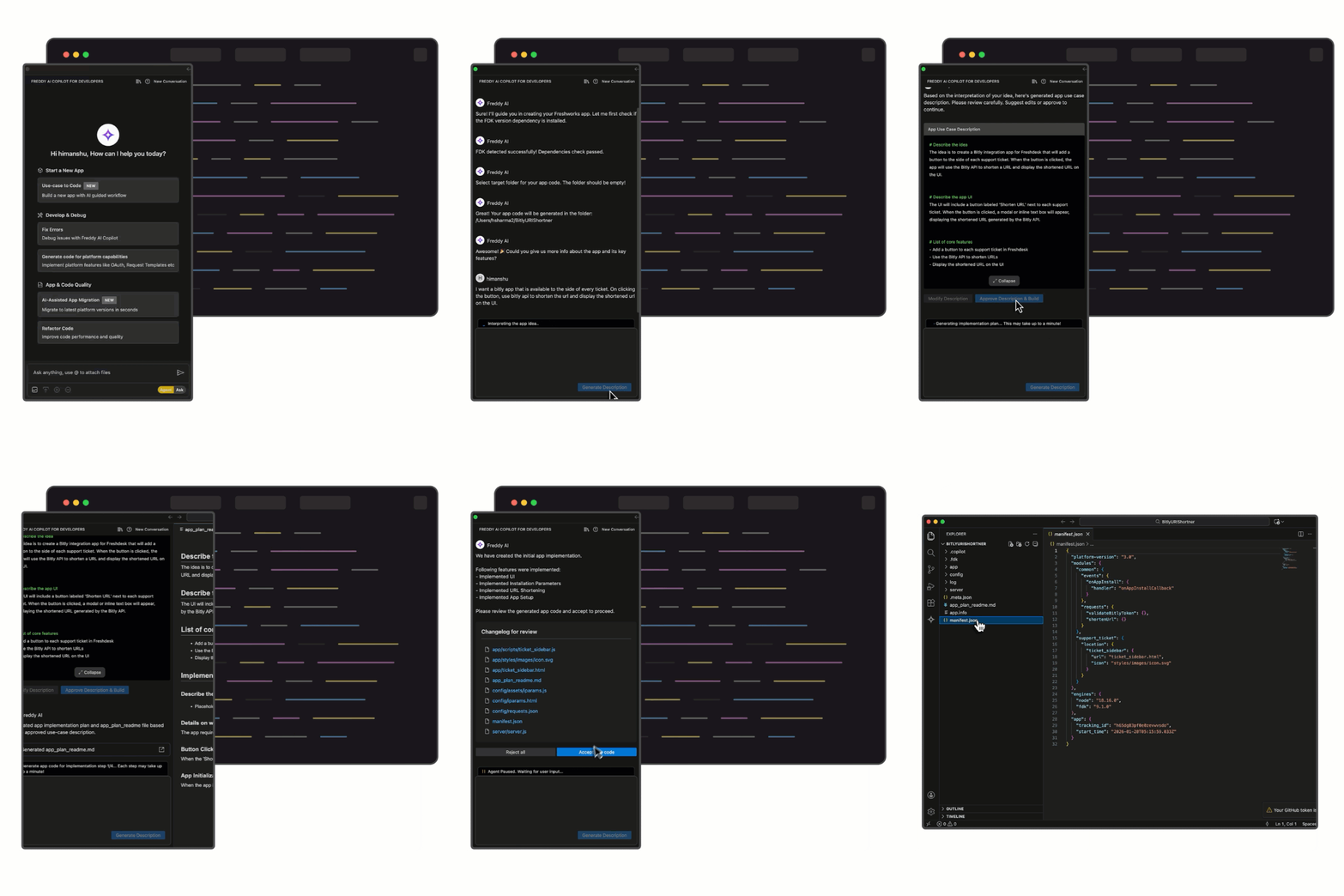
Convert natural language descriptions into working Freshworks app code. Describe what you want your app to do and Freddy generates the app structure, boilerplate code, and components. Available in Freddy AI Copilot for Developers v2.4.0 or higher.
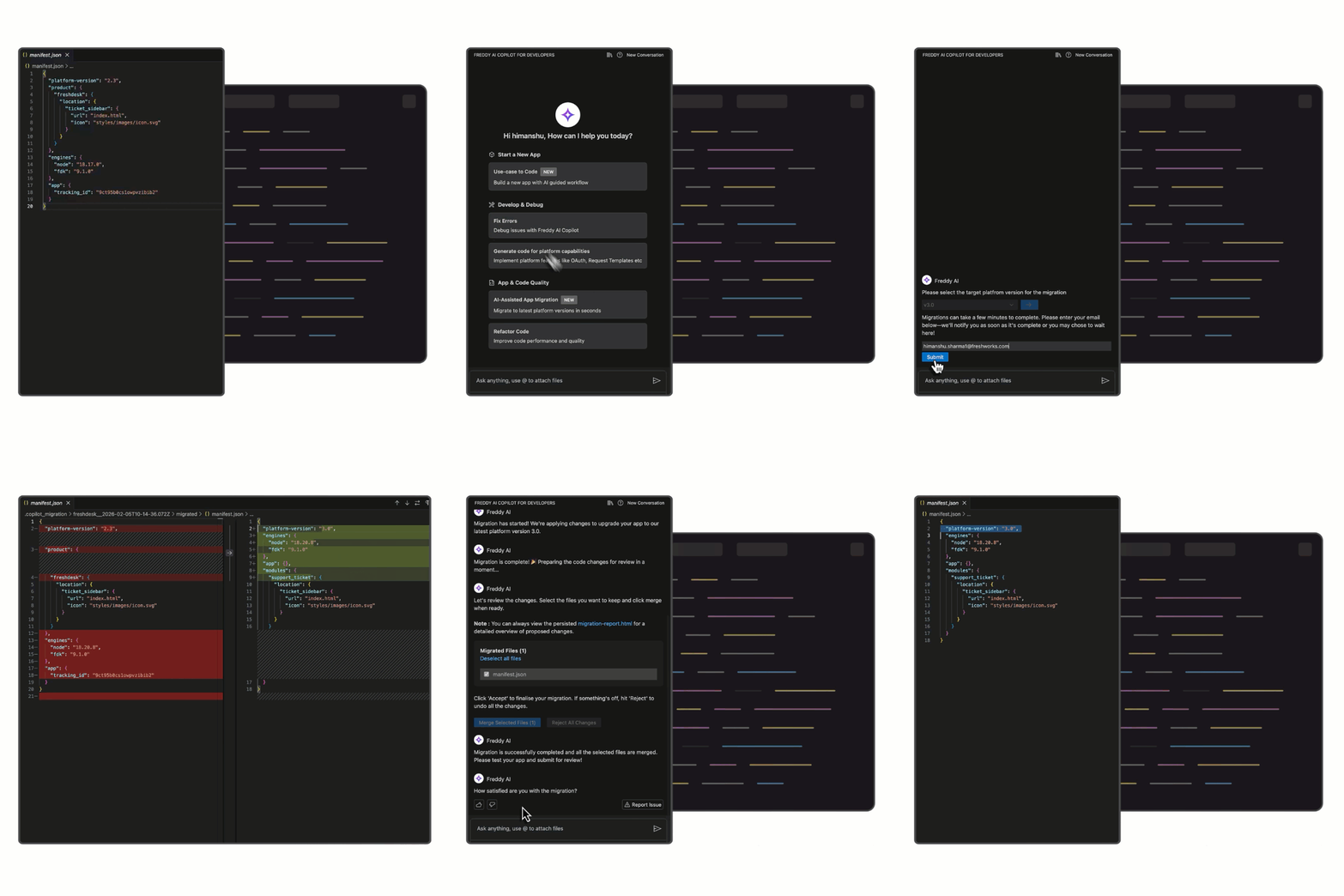
Upgrade your apps to the latest platform versions safely and efficiently. Freddy analyzes changelogs, detects deprecated methods, and suggests or applies code updates. Review and apply migration suggestions directly in VS Code. Supported on FDK 9.1.0 to 9.8.0.
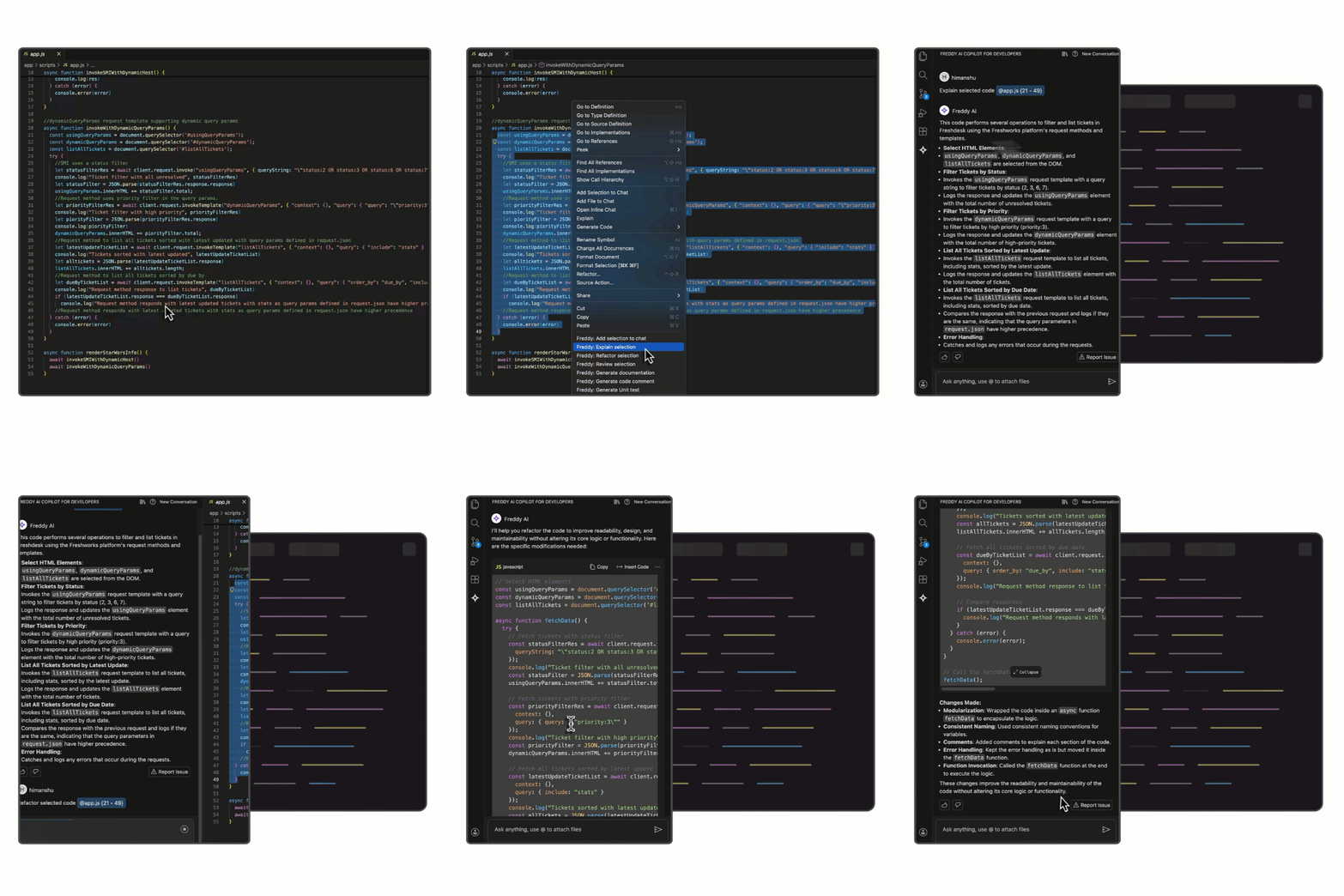
Enhance your workflow with built-in automation: explain or refactor selected code, generate documentation and comments, run security checks, and create unit test stubs. Right-click in VS Code and choose from Freddy’s context menu actions.
Transform visual designs into functional frontend code. Upload images or use Figma URLs; Freddy converts them into responsive HTML and CSS that follow Freshworks design guidelines and CRAYONS components. Preview, edit, or use the generated code in your app.

How to get started easily?

Got more questions?

New to the Freshworks ecosystem?

By clicking Subscribe, I understand that Freshworks will process my personal information in accordance with its Privacy Notice.
- What training data does Freddy AI Copilot for Developers use?+
Freddy AI Copilot for Developers is designed to assist with app development–related queries and general programming concepts by leveraging context from Freshworks developer documentation. As the platform evolves, the underlying documentation and knowledge sources may be expanded or updated to improve the relevance and accuracy of responses.
- Is Freddy AI Copilot for Developers available to install and use in all regions?+
Yes. Freddy AI Copilot for Developers is available to install and use in all regions.
- Which conversational languages are supported when using Freddy AI Copilot for Developers?+
Currently, Freddy AI Copilot for Developers supports English only. Support for additional languages may be considered in future releases based on demand.
- Is Freddy AI Copilot for Developers priced?+
Freddy AI Copilot for Developers is currently available at no cost. This allows developers to explore the tool and build apps for the Freshworks platform.
- Which programming languages does Freddy AI Copilot for Developers support?+
Freddy AI Copilot for Developers supports the same programming languages as the Freshworks Developer Platform to ensure consistent platform behavior.
- What guidelines should I follow to get better results from Freddy AI Copilot for Developers?+
Use clear and specific prompts that include relevant Freshworks app development context. Following standard best practices for prompting conversational AI models helps improve the accuracy and usefulness of the responses. To learn how to use better prompts, see Prompt guidelines .
- Can I choose not to use the code generated by Freddy AI Copilot for Developers?+
Yes. Freddy AI Copilot for Developers provides code suggestions and one-click actions as optional recommendations. You can review, modify, or discard the generated output as needed.
- How accurate is the code generated by Freddy AI Copilot for Developers?+
Freddy AI Copilot for Developers generates code based on learned patterns and the context provided in prompts. The output is intended to assist development but may be incomplete, inaccurate, or unsuitable for certain scenarios. Always review, test, and validate AI-generated code before using it in production environments.
- Are there any security considerations when using Freddy AI Copilot for Developers?+
Freddy AI Copilot for Developers may generate code that does not fully address security requirements, depending on the prompt and context. You can use available tools, such as the Security Check feature , and follow established secure coding practices before deploying code to production.
- What is the Use case to Code feature in Freddy AI Copilot for Developers?+
The Use case to Code feature enables developers to build an app by simply defining what the app should do. For example, you can specify a use case for a Freshdesk app that fetches order data from Shopify based on an order ID provided in the ticket's sidebar.
- Why don't I see the option for Use case to Code in my VS Code extension?+
The Use case to Code feature is available in FDK version 9.1.0 and later. If you do not see this option, update your FDK version and ensure that the Freddy AI Copilot extension is up to date. To learn more about Freddy AI Copilot features compatibility, see the compatibility matrix .
- Why aren't some features of this extension working on my system?+
Some features of the extension require specific versions of the FDK or plugin. If your environment does not meet these version requirements, those features may not work as expected. To learn more about Freddy AI Copilot features compatibility, see the compatibility matrix .
- Will Freddy AI Copilot for Developers retain or reuse my private code?+
No. Freddy AI Copilot for Developers can access only the code you explicitly provide as input. It does not retain, store, or reuse your code outside the current interaction.
- What is the context persistence setting in Freddy AI Copilot for Developers?+
Freddy AI Copilot for Developers uses recent chat context to generate more relevant responses. By default, it considers the last five interactions in the current workspace as context. This context is stored locally and is cleared when the workspace is closed.
- How is my data used when I interact with Freddy AI Copilot for Developers?+
Freddy AI Copilot for Developers may collect limited interaction data, such as prompts, feedback (for example, upvotes or downvotes), and token usage, to help improve response quality. Recent chat context is used to generate relevant responses, but chat history is not persisted across sessions. To help protect your information, we recommend avoiding the inclusion of sensitive or confidential data in your prompts.
- Are there any data and privacy guidelines that are followed?+
When developing applications that deal with sensitive data, comply with local data and privacy guidelines and regulations. For example, adhere to EU-GDPR when dealing with customer data in the European region.